Extending documentation
We are working hard to ensure all aspects of the framework are well-documented. If you identify any gaps in the documentation, you can help us fill them!
Sphinx and reStructuredText
This documentation is generated by Sphinx using reStructuredText markup language. Please refer to their documentation for detailed syntax and features.
Documentation structure
All documentation sources are located in the docs/ directory with the following structure:
api_docs/ - Auto-generated API documentation for all QLTY modules, classes, and functions
guides/ - User guides covering environment setup, running tests, integrations, and features
images/ - Images and screenshots used in the documentation
_static/ - Custom CSS, JavaScript, and other static assets (including theme customization)
_build/html/ - Generated HTML output (not committed to version control)
Build the documentation
To build the documentation locally, navigate to the docs directory and run:
cd docs
sphinx-build -b html . _build/html
This generates HTML documentation in _build/html/. Open _build/html/index.html in your browser to view.
Note
You need to have Sphinx installed in your Python environment:
pip install sphinx sphinx-rtd-theme
Clean build
If you need to rebuild from scratch (recommended after structural changes):
cd docs
rm -rf _build/html
sphinx-build -b html . _build/html
How to document your code
We are using a sphinx module called autodoc that retrieves all the docstring for a given module.
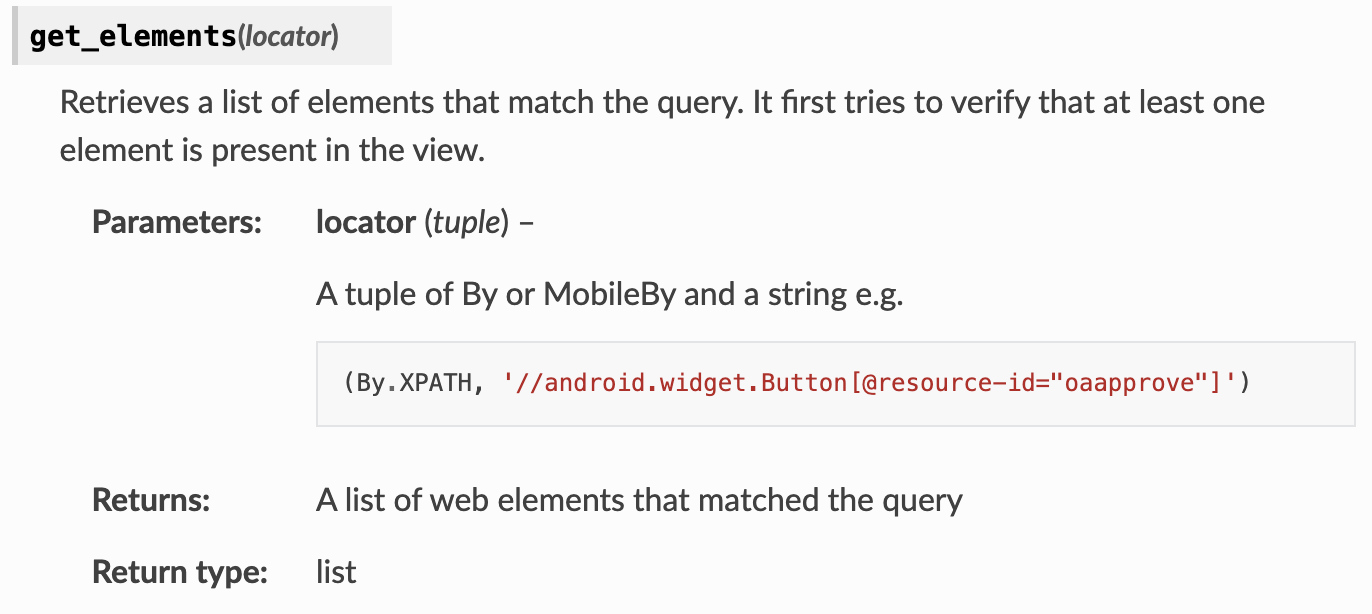
Here is an example of how you can document a method in a module:
def get_elements(self, locator):
"""
    Retrieves a list of elements that match the query. It first tries to verify that at least one element is
    present in the view.

    :param locator: A tuple of By or MobileBy and a string e.g.

        .. code-block:: python

            (By.XPATH, '//android.widget.Button[@resource-id="oaapprove"]')

    :type locator: tuple
    :return: A list of web elements that matched the query
    :rtype: list
"""
Describe your method parameters by using :param arg_name: Description
Describe your parameter type by using :type arg_name: parameter_type
Describe your return value by using :return: Description
And describe your return value type by using :rtype: return_parameter_type
The text inside the docstring is interpreted as reStructuredText so any directives can be used like code blocks or lists
The example above generates the following documentation:
You can also add documentation to your class or module level variables by adding a colon : right after the # sign:
#: Defines if the test run should send a message through slack to a specific channel
SLACK_REPORTING = False
Adding new modules to documentation
To add a new module to the API documentation:
Create the module in the appropriate directory within
qlty/Document your code using docstrings (see “How to document your code” section above)
Add to sys.path if needed. Edit
docs/conf.pyto include new directories:sys.path.append(os.path.abspath('../qlty')) sys.path.append(os.path.abspath('../qlty/classes')) sys.path.append(os.path.abspath('../qlty/utilities'))
Create or update RST file in
docs/api_docs/to reference your module:My New Module ------------- .. automodule:: my_new_module :members: :undoc-members: :show-inheritance:
Add to index by including your RST file in
docs/index.rstunder the API Documentation sectionRebuild the documentation to see your changes
Customizing the theme
The documentation uses a custom theme based on Read the Docs. To modify the appearance:
Edit colors and styling in docs/_static/custom.css
Current brand colors:
Primary:
#f62def(pink/magenta)Secondary:
#4750c8(blue/purple)Background:
#131927(dark navy)
Add fonts or other assets by updating html_css_files in docs/conf.py:
html_css_files = [
    'https://fonts.googleapis.com/css2?family=Space+Grotesk:wght@400;500;600;700&family=Inter:wght@300;400;500;600;700&display=swap',
    'custom.css',
]
After making theme changes, rebuild the documentation to see your updates.